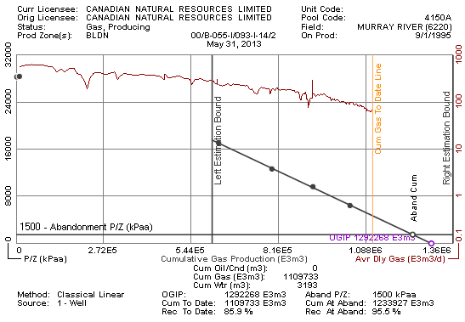
Estimate original gas in-place (OGIP) using single well material balance calculations. Also use material balance to identify the expected recovery factor by specifying the abandonment P/Z value. At least two P/Z points with different cumulative gas values are required for a linear material balance. Three P/Z points with different cumulative gas values are required to create a parabolic material balance.
The following tutorial example well shows a classic, straight-line material balance with the left estimation boundary dragged right to exclude some initial cumulative gas value samples that were taken at the start of production. The Abandonment P/Z has been lifted to increase the recovery factor.
The Gas Material Balance dialog box appears.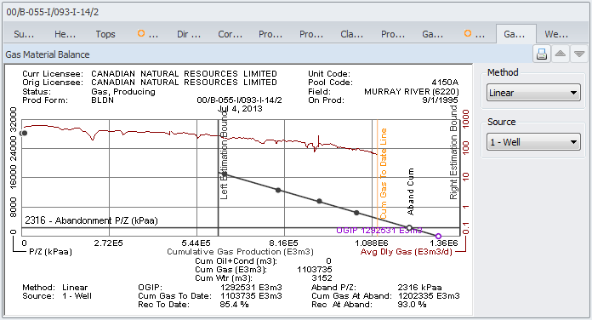
At least three gas samples must appear within the left and right estimation bounds in order to plot a material balance trend.
The different sources appear on the DataCard Gas Analysis/Pressure tab.
 Related Topics